Basics of the Operating System
Chapter 1: Uncovering the mysteries of your OS

I like designing websites, discussing ideas, and meeting new people bundled with a deep passion for building things from scratch. I have an immense craze for DIYs, fiction, country music, and movies. I am always learning new things that make me a better developer everyday. I am open to new ideas and hop onboard new projects if I like them. I'm always full of ideas, so you'll always find me working on something or the other.
I have been reading this book called ‘Operating System Concepts’ by Abraham Silberschatz, Peter Baer Galvin and Greg Gagne for some time now, and I thought, let’s share the knowledge I am gaining with my fellow readers. SO here goes everything that I have been learning from the book about Operating systems broken down into chapters. This is the first chapter ands contains the basics.
What does an Operating System do?
At a high level, the operating system (OS) exists for one reason: to make sure a computer’s resources are used properly. Not ‘efficiently’ in some to be exact, but sanely. Without it, your CPU, memory, and devices would be a chaotic free-for-all. Think less ‘well organised city’ and more like ‘toddlers fighting over toys’ where each one yanks the resources for its own benefit without caring about the collective commotion they are creating.
The pieces of a computer system
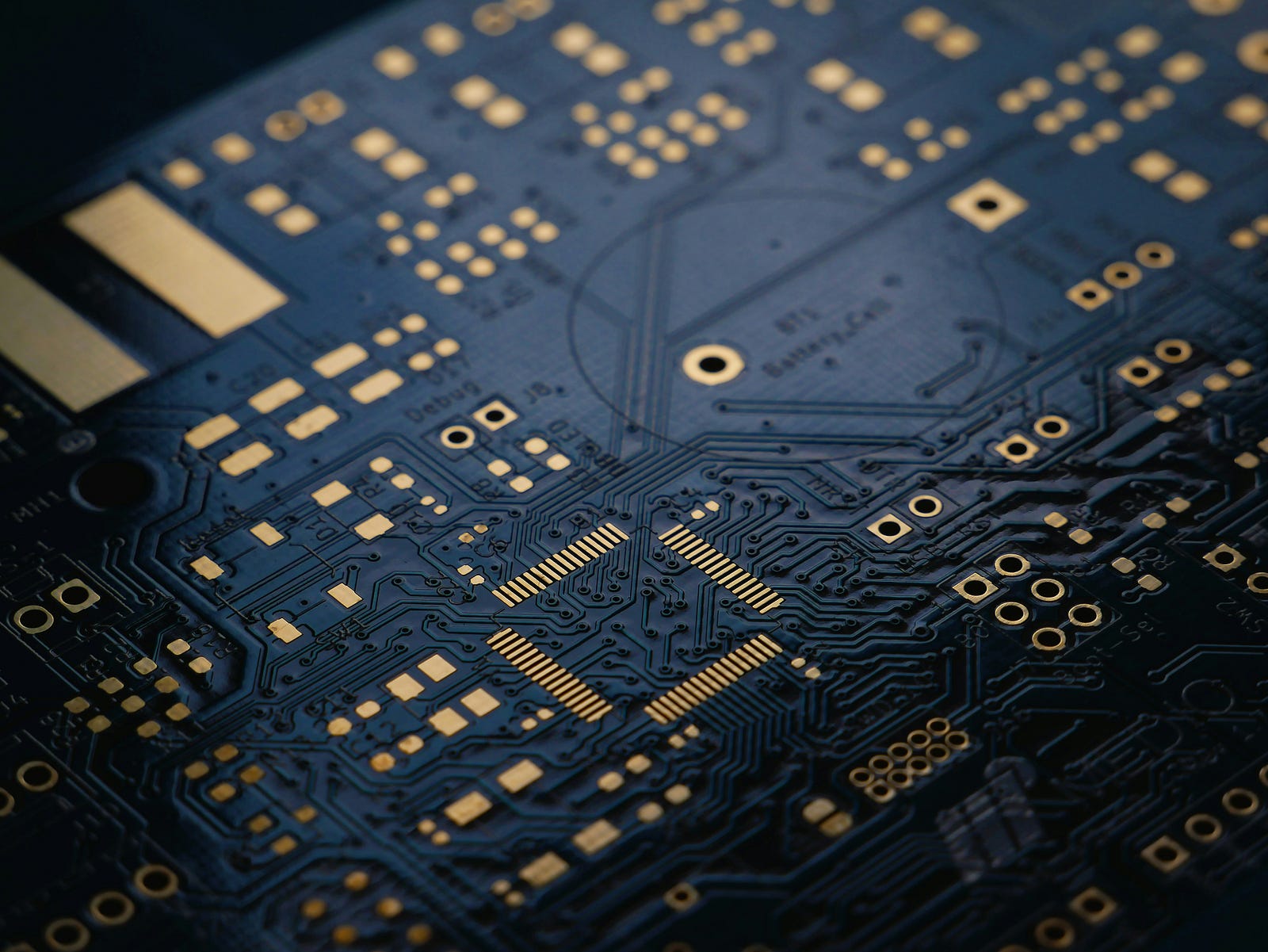
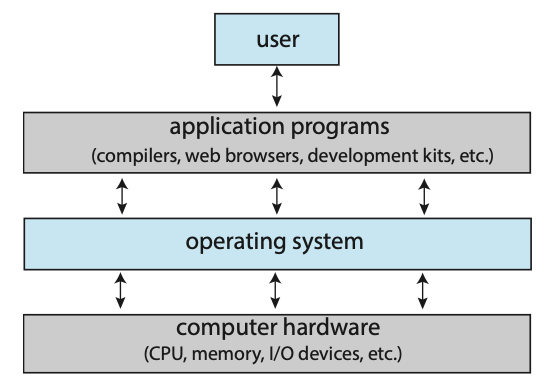
A computer isn’t just a shiny new expensive piece of hardware sitting on your desk looking expensive. It is a stack, and every layer depends on the one below it.
Hardware: CPU, memory, storage, I/O devices — the physical stuff.
Operating System: The boss. It controls the hardware.
Application Programs: Browsers, compilers, editors — these use what the OS provides.
User: That’s you, clicking buttons and expecting miracles.
The OS sits in the middle, acting as a translator and referee. Applications don’t talk directly to hardware. That would be like letting every citizen directly control traffic lights. Instead, they go through the OS, which enforces rules and keeps things from catching fire.
User View vs. System View: Same Machine, Different Reality
From the user’s point of view, the computer is about convenience and speed. You want the apps to load fast, animations to feel smooth, and the system to ‘just work.’
From the system’s point of view, the OS has much colder job. It is a resource allocator. CPU time, memory space, disk access, I/O devices, everything is limited, and everything wants attention now. When requests conflict, the OS decides who waits and who gets served.
Same machine, but completely different priorities.
This distinction matters even more when you are away from laptops and smartphones. Embedded systems like those in refrigerators or air conditioners barely have a ‘user view’ at all. In these cases, the OS exists almost entirely to manage resources quietly and reliably in the background.
The core roles of an Operating System
At its heart, the OS wears two main hats.
First, it’s a resource manager. A good analogy is a government. It doesn’t produce useful work itself, but it creates the conditions that allow others to function. CPU scheduling, memory allocation, device management. This is the OS deciding who gets what, when and for how long.
Second, it’s a control program. This is the safety officer. The OS manages how user programs execute, preventing errors, misuse, and chaos, especially when it comes to I/O devices. You don’t want random applications poking hardware directly.
What is an Operating System made of?
The OS isn’t a monolithic blob. It is a layered composition that lets modern systems scale and evolve without collapsing under their own complexity.
**The Kernel
**It is the privileged core of the OS. It runs in supervisor mode (aka Kernel mode), which means it can execute any CPU instruction and directly access hardware. It is responsible for:
i. Process management — Creating, scheduling and terminating processes and threads.
ii. Device management — Abstracting hardware via device drivers and handling interrupts
iii. System call handling—Providing a controlled entry point for user-space programs to request privileged operations.**System Programs
**It runs in user mode, not kernel mode, but they are tightly coupled to the OS. They provide essential services that make the system usable, but don’t require direct hardware control. Examples include Init systems (like systemd) that manage service startup, file system utilities, network configuration tools, logging daemons, shells and core command line tools.**Application Programs
**Application programs are fully user-space software with no special privileges. They cannot access hardware, memory outside their address space, or other processes directly. Key charactersistics include:
i. Run in isolated virtual address spaces.
ii. Rely on OS abstractions like files, sockets, and processes
iii. Use libraries and system calls to interact with the OS**Middlewares
**These exist to reduce friction between application and the OS, especially in complex ecosystems like mobile and distributed systems. They often run in user space but may communicate with kernel services or system daemons underneath. They provide:
i. High-level APIs over low-level system calls
ii. Shared services such as databases, media codecs, graphics pipelines and messaging
iii. Runtime environmentsOn mobile systems, middlewares are essential because apps are sandboxed aggressively. The OS exposes limited priveleges, and middleware fills the gap with reusable, standardized services so every app doesn't reinvent the same machinery.
Why this layering matters?
This layered architecture exists to manage complexity, safety and performance.
It also maintains privilege separation to prevent bugs in application layer from corrupting the system.
Abstraction layers allow hardware and software to evolve independently.
Modularity makes operating system maintainable at scale.
The Truth
An operating system does not compose emails, write code, or stream twitch. It creates order. Every time when your device does not crash when you have 20 chrome tabs open, every time you can smoothly take a call while achieving a 20x multiplier on Call of Duty Mobile, its the OS doing its job.
Bonus
Have you heard of the Moore’s law? It is an observation by Intel co-founder Gordon Moore in the year 1965.
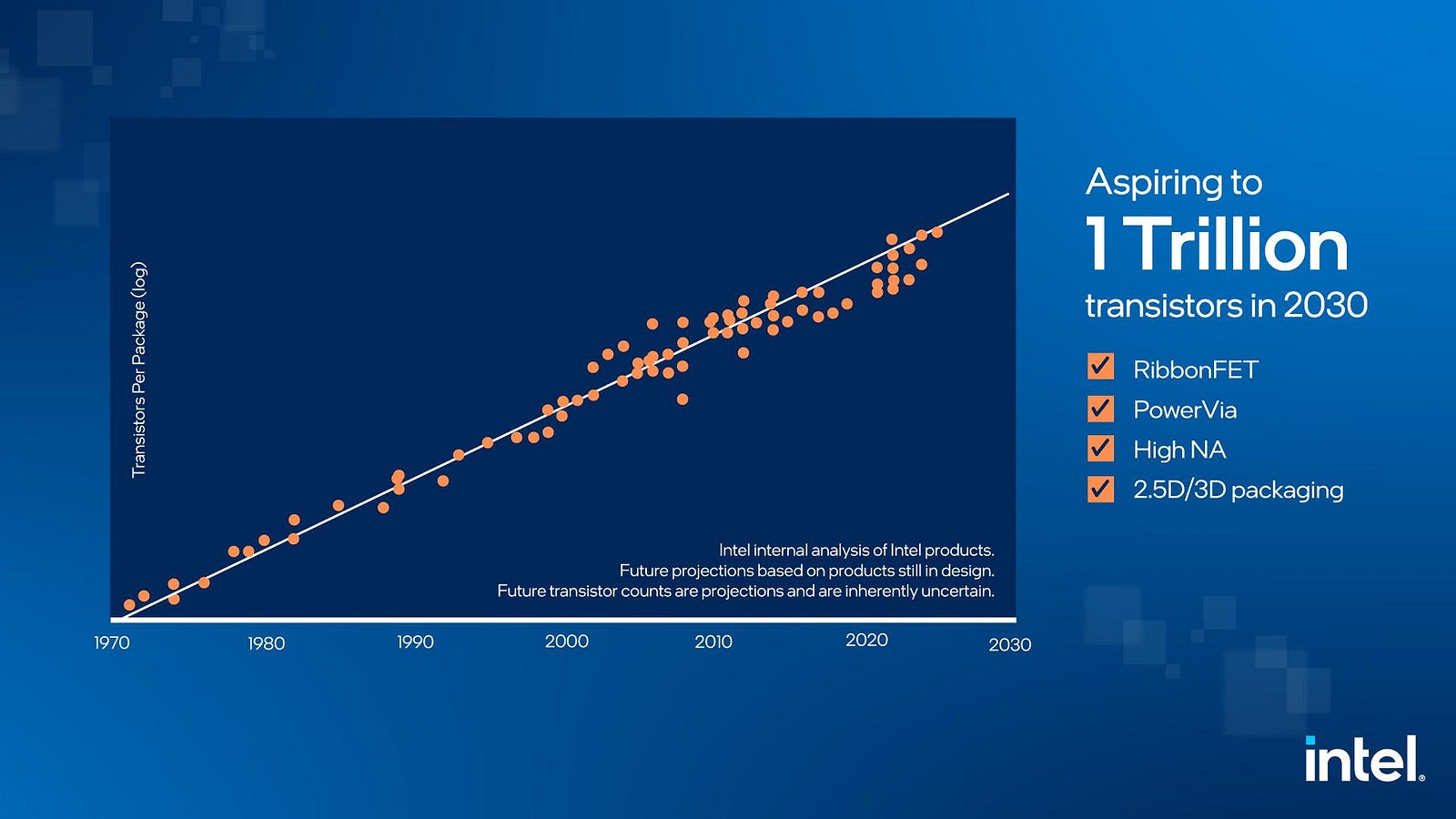
Well, historically, operating systems have been shaped by hardware progress. Moore’s law is an observation that transistors counts on a microchip double roughly every 18 months, leading to exponential growth in computing power, smaller devices, and lower costs, though it’s an empirical trend, not a physical law, and faces physical limits, driving innovation in new materials and packaging to sustain progress.
It has been pretty accurate up till now.